What Is Conversion Tracking and How It Works

Ollie Efez
December 03, 2025•21 min read•Updated Apr 16, 2026

Conversion tracking is simply the process of figuring out which of your marketing efforts are actually making you money. It connects a specific customer action—like a purchase or a sign-up—back to the exact ad, link, or campaign that brought them to you. It answers the most important question: what's working?
What Is Conversion Tracking and Why It Matters
<img src="https://cdn.outrank.so/e2b9b79c-0a6e-4908-abd4-26760ca3a652/a7c487ae-a32c-4254-866a-f2fef9176d11/what-is-conversion-tracking-digital-kiosk.jpg" alt="Two modern digital self-service kiosks on a counter in a retail environment with "Digital Cashier" sign." loading="lazy" style="max-width: 100%; height: auto; border-radius: 8px; margin: 1.5rem 0; display: block;" />
Imagine running a store where you see plenty of people walk in, but you have no idea who actually buys something. That’s exactly what marketing feels like without conversion tracking. You can see clicks and traffic, but you're flying blind when it comes to the outcomes that really matter—the sales, leads, and sign-ups that fuel your business.
Think of conversion tracking as your digital cashier. It doesn’t just ring up the sale. It also makes a note of whether the customer came in because they saw a billboard down the street, got a flyer in the mail, or heard about you from a friend. This simple idea turns vague marketing guesswork into a measurable, data-driven strategy, giving you a crystal-clear picture of your return on investment (ROI).
The Four Core Components of Conversion Tracking
At its heart, conversion tracking is a system built on a few key elements working together in perfect sync. To truly get a handle on your marketing analytics, you need to understand these four pieces of the puzzle.
These components work together to turn raw clicks into meaningful business intelligence.From Clicks to Conversions
When it all comes together, conversion tracking lets you measure what truly matters. One of the most critical metrics you'll get is your conversion rate—the percentage of total visitors who actually complete the action you're tracking. This number tells you how effective your page and your offer really are.
By connecting actions back to their original sources, you can finally get straight answers to your most pressing business questions:
- Which of my ad campaigns are driving the most sales?
- Are my social media posts leading to actual, qualified leads?
- How much does it really cost me to get a new customer from a specific channel?
This is the knowledge you need to build a winning digital strategy. It empowers you to invest more in what’s proven to work, stop wasting money on what doesn't, and continuously fine-tune your approach for better and better results. Tying these valuable actions directly to your bottom line is a core part of what’s known as revenue attribution, a game-changing concept for any serious business.
The Journey From Simple Clicks to Smart Data
To really get why conversion tracking is so important today, it helps to look back at where we came from. Not too long ago, digital marketers were basically flying blind. The only metric that mattered was the click. Clicks told you someone was interested, sure, but they didn't tell you a single thing about what happened after that click.
This created a massive disconnect between marketing spend and actual business results. Think about it: you could spend thousands on a campaign that drives 10,000 people to your website. Awesome, right? But without tracking, you had no idea if that led to one sale or a hundred. You were just guessing, which made it nearly impossible to justify your budget or improve your strategy.
The Dawn of a New Era
Everything changed with a game-changing update from Google. In November 2005, conversion tracking was introduced to Google Ads, and it was a revelation for marketers. For the first time, you could connect the dots between someone clicking your ad and a real business outcome, like a purchase or a sign-up. Finally, there was proof. You can read more about this turning point in the history of Google Ads.
That single innovation kicked off a rapid evolution. Analytics platforms became more sophisticated, offering much deeper insights into what people were doing on a website. The focus shifted from just counting clicks to understanding the entire customer journey, especially for tasks like optimizing sales funnels to get better results.
Key Takeaway: The move from click-based metrics to conversion-based data was the single most important shift in performance marketing. It allowed marketers to measure what truly matters: results.
Adapting to a Privacy-First World
But technology didn't evolve in a bubble. Big changes in user privacy and data regulations also pushed things forward. As people became more savvy about how their data was being used, the old-school tracking methods that relied on third-party cookies started to fall apart.
This forced another major shift in how we approach tracking today:
- From Sessions to Events: Older analytics tools, like Universal Analytics, grouped all user activity into "sessions." A visitor would arrive, do a bunch of things, and it was all logged as one big chunk.
- The GA4 Model: Modern systems like Google Analytics 4 (GA4) use an event-driven model. Every single action—a page view, a button click, watching a video—is its own separate event. This gives you a much more detailed and flexible view of what's actually happening.
This event-based approach isn't just a technical tweak; it's a direct response to the demand for more privacy-friendly tracking. It allows for more reliable measurement in a world with fewer cookies, ensuring marketers can still get the insights they need while respecting user privacy. This whole journey—from simple clicks to smart, privacy-aware data—is what has shaped the powerful tracking systems we use today.
Understanding the Metrics That Define Success
Setting up conversion tracking is like flipping a switch in a dark room. All of a sudden, you can actually see what’s going on. But just having the lights on isn't the whole game. To make genuinely smart decisions, you have to understand the story the numbers are telling you.
Think of these key metrics as the vital signs for your marketing campaigns. A doctor doesn't just check a patient's heart rate; they look at blood pressure, temperature, and other indicators to get the full picture. In the same way, you need to look at a few core numbers together to really understand your campaign's health.
Conversion Rate: The Pulse of Your Campaign
The most straightforward metric, and often the first one people look at, is the Conversion Rate. This is simply the percentage of people who do what you want them to do (like buy a product or sign up) after clicking your link.
For example, if 1,000 people land on your page and 50 of them sign up for a demo, your conversion rate is a solid 5%. This number is the basic pulse of your campaign—it tells you how effective your offer and landing page are at convincing people. A low conversion rate might mean your message is off, the user experience is clunky, or your ad promised something your page didn't deliver.
On the flip side, a high conversion rate is a great sign that you've hit the nail on the head. It shows your targeting is sharp and your offer is connecting with the right audience. A key performance indicator here is the sales conversion rate, which hones in on how well your sales process closes deals.
Cost Per Acquisition: Your Efficiency Score
A high conversion rate is fantastic, but it doesn't tell the whole story. The next piece of the puzzle is your Cost Per Acquisition (CPA), which is sometimes called Cost Per Conversion. This is how much you spent on your advertising divided by the number of conversions you got.
So, if you spent $500 on a campaign and it resulted in 50 conversions, your CPA is $10.
This metric is your efficiency score. It directly answers the all-important question: "How much is it costing me to get one new customer?" A low CPA means your marketing is running lean and mean, while a high CPA suggests you might be paying too much, even if your conversion rate is high.
Let's compare two campaigns:
- Campaign A: Boasts a 10% conversion rate, but each conversion costs $100.
- Campaign B: Only has a 3% conversion rate, but the CPA is just $20.
Campaign A looks impressive at first glance with its double-digit conversion rate. But Campaign B is the clear winner for the business—it's far more efficient and sustainable, bringing in new customers for a fifth of the cost.
Return On Ad Spend: The Ultimate Profitability Check
Finally, we get to the metric that your CFO really cares about: Return On Ad Spend (ROAS). This tells you how much revenue you're generating for every single dollar you put into advertising. You calculate it by dividing your total revenue from the campaign by your total ad cost.
If you spend $1,000 on ads and that campaign brings in $4,000 in sales, your ROAS is 4x (or 400%).
ROAS is the ultimate profitability check. It goes beyond just efficiency (CPA) and tells you whether your campaigns are actually making money. A healthy ROAS means your advertising is a profitable investment. If your ROAS dips below 1x, you're officially losing money.
By looking at these three metrics—Conversion Rate, CPA, and ROAS—together, you get the complete narrative, turning a bunch of data points into a clear roadmap for smarter, more profitable marketing.
Choosing the Right Attribution Model for Your Business
So, a customer clicked on five different ads and visited your site three times before finally making a purchase. Which marketing effort gets the credit? This is the core puzzle that attribution modeling solves. Think of it as a set of rules that decides how you assign value to the different steps in a customer's journey.
Without a solid attribution model, you’re essentially flying blind. You might pour money into the final ad a customer saw, completely missing the fact that a blog post they read two weeks earlier actually convinced them to buy.
Imagine a soccer team scoring the winning goal. Does 100% of the credit go to the striker who kicked the ball into the net? What about the midfielder who made the perfect pass, or the defender who started the whole play? Attribution modeling is the same idea, just for your marketing campaigns.
Single-Touch Attribution Models
The simplest way to approach attribution is to give all the credit to a single touchpoint. These models are straightforward and easy to set up, which makes them a popular starting point for businesses new to conversion tracking.
- First-Click Attribution: This model is all about the opening move. It gives 100% of the credit to the very first marketing channel a customer ever interacted with. It’s fantastic for figuring out which channels are best at sparking initial awareness and bringing new people into your orbit. If you're curious, you can learn more about the nuances of first-click attribution in our detailed guide.
- Last-Click Attribution: Here, the striker who scored the goal gets all the glory. This model assigns all the credit to the final touchpoint a customer engaged with right before converting. It's a great way to identify which channels are your "closers"—the ones that seal the deal.
The big downside? Both of these models have a major blind spot. They completely ignore everything that happens between the first and last interaction, which means you might be undervaluing the crucial nurturing that happened along the way.
Multi-Touch Attribution Models
To get a more holistic and realistic view, multi-touch models spread the credit across several touchpoints. This gives you a much richer understanding of how your marketing channels work together to drive a sale.
Key Insight: Moving from a single-touch to a multi-touch attribution model is like going from a single snapshot to a full-length movie. You stop obsessing over one isolated moment and start seeing the entire story of your customer's journey.
Here are a few of the most common multi-touch approaches:
- Linear Model: This is the "share the love" approach. If a customer interacts with four different ads before buying, each ad gets an equal 25% of the credit. It’s simple, fair, and ensures no touchpoint gets left out.
- Time-Decay Model: This model gives more weight to the interactions that happened closer to the conversion. The first touchpoint might get 10% of the credit, while the final click just before the purchase could get 40%. This is particularly useful if you have a longer sales cycle, where recent touchpoints are often more influential.
- Data-Driven Model: This is the most sophisticated option. Instead of using a fixed rule, it leans on machine learning to analyze every converting and non-converting path. It then assigns credit based on how much each touchpoint actually contributed to the outcome. It delivers the most accurate picture, but you need a good amount of data for it to work its magic.
As this decision tree shows, tracking metrics like these is what allows you to make smart, data-backed business decisions.
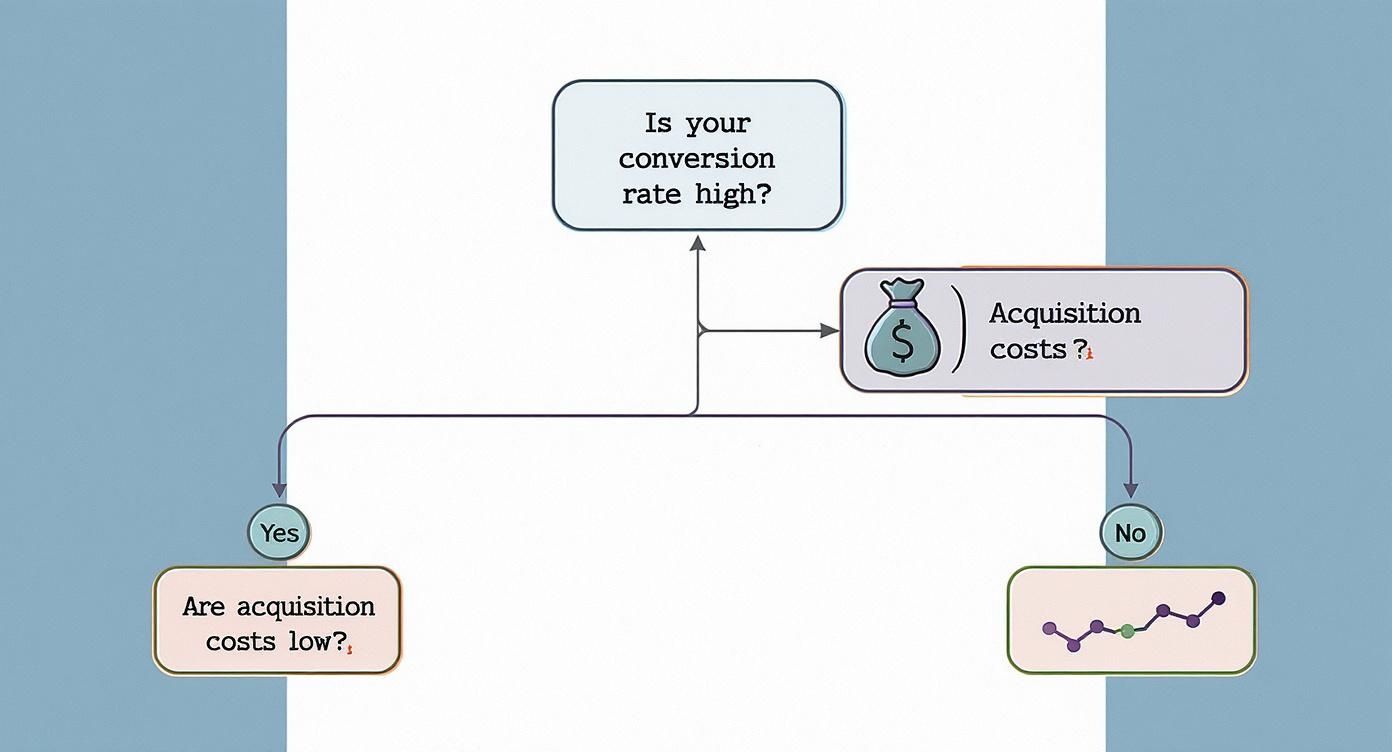
The flowchart makes a critical point: a high conversion rate is only great if your acquisition costs are low enough to make it profitable.
Comparing Common Marketing Attribution Models
Choosing the right attribution model can feel daunting, but it really comes down to aligning the model with your specific business goals. This table breaks down the most common models to help you decide which one fits your needs best.
Ultimately, the best model is the one that gives you the clearest, most actionable insights into what’s working—and what’s not—in your marketing strategy.Which Model Is Right for You?
So, how do you choose? It really depends on your business goals and how long it typically takes for a customer to buy from you.
If you sell products that people buy on impulse, a simple Last-Click model might be all you need. But if you're a SaaS company with a six-month sales cycle, a Time-Decay or Data-Driven model will give you far more valuable information. The key is to pick a model that mirrors your customer’s actual journey. When you do that, you'll unlock a much deeper understanding of your marketing's true impact.
How to Implement Conversion Tracking on Your Website

Okay, let's move from theory to action. This is where you start getting real, tangible results. Implementing conversion tracking might sound like a job for a developer, but today's tools have made it surprisingly accessible. We'll walk through the process using the industry-standard combo: Google Analytics 4 (GA4) and its indispensable sidekick, Google Tag Manager (GTM).
Think of it like this: GA4 is the warehouse where all your data gets stored and analyzed. GTM is the super-efficient delivery truck that picks up the data from your website and brings it to the warehouse. Before GTM, you had to manually inject tracking code into your website for every tool you used—a process that was slow, messy, and prone to breaking things. GTM changes all that. You add just one piece of GTM code to your site, and from then on, you can manage all your other tracking "tags" from a simple dashboard. It’s a game-changer.
Setting the Stage with Google Analytics 4
Your foundation for modern web analytics is GA4. Since the old Universal Analytics was phased out in 2023, GA4 has taken over with a much more flexible, event-based approach to data. This model is less reliant on old-school cookies, which means better tracking accuracy and a design that respects user privacy. In the GA4 world, you track conversions by defining important user actions as "events" and then telling the platform which of those events count as a conversion. To dig deeper, you can track conversions that matter on asclique.com.
The first step is simply creating a GA4 property for your website. During the setup, Google will give you a Measurement ID. Hang onto this! It’s the unique address that tells GTM exactly where to send all the data it collects.
Your Central Command Center: Google Tag Manager
With your GA4 Measurement ID ready, it's time to set up your command center: Google Tag Manager. GTM is designed to manage all the little bits of code (or "tags") you need for analytics, advertising pixels, and more. This centralized approach is a core principle behind effective direct link tracking for affiliates, as it keeps everything organized and streamlined.
The GTM system revolves around three core concepts:
- Tags: These are the actual code snippets you want to run on your site. In our case, the first and most important one is the GA4 Configuration tag.
- Triggers: These are the rules that tell your tags when to fire. The most basic trigger is "All Pages," which makes your analytics tag load for every single visitor.
- Variables: These are little placeholders for bits of information that might change, like your GA4 Measurement ID.
Connecting the two platforms is pretty straightforward. You'll create a new GA4 Configuration tag inside GTM, pop your Measurement ID into the variable field, and set the trigger to fire on all page views. Once you hit publish, your website will officially start sending basic visitor data to your Google Analytics account.
Defining Your Key Conversion Events
Now for the fun part: telling Google what a "conversion" actually means for your business. In GA4, almost any interaction can be tracked as an event—a purchase, a video play, a button click, you name it.
Let's use a classic example: a contact form. Your main goal is to get new leads. When someone fills out your form and hits "submit," they're usually taken to a "thank you" page. That specific page view is the perfect signal that a conversion just happened.
To track this, you’d jump back into GTM and create a new GA4 Event tag. You’d give it a clear name like generatelead and then set up a trigger that tells it to fire only when a visitor lands on your "thank you" page URL.
After publishing your changes in GTM, you’ll start seeing this new generatelead event pop up in your GA4 reports. The very last step is to log into GA4, go to your Events report, find generatelead, and flip a switch to mark it as a conversion. That's it. From that point on, GA4 will count every new lead as a successful conversion, finally connecting your marketing efforts to real business outcomes.
Common Tracking Mistakes and How to Fix Them

Getting conversion tracking set up is a massive win, but even a small slip-up can create huge headaches. When your data is off, it’s not just unhelpful—it's actively dangerous. It can trick you into pouring money into the wrong places, and honestly, bad data is often worse than no data at all.
The good news is that most of these tracking issues are old news. We’ve seen them all before, and they’re almost always fixable. Once you know what to look for, you can keep your data clean and trustworthy.
Let’s walk through the most common blunders I see and, more importantly, how to fix them.
The Problem of Double Counting Conversions
This one is incredibly common. Double counting is when one sale or lead gets recorded two, three, or even more times. Imagine a customer lands on your "thank you" page and decides to hit the refresh button. If your setup isn't careful, that refresh triggers the conversion pixel again, making it look like you just got a second sale.
Suddenly, your campaign looks like a superstar, but it's all an illusion. You end up over-investing in what seems like a high-performing channel, all based on inflated numbers.
How to Fix It: The most reliable solution is to implement a Transaction ID (or Order ID) with your conversion tag. By passing this unique code for each transaction, you give platforms like Google Ads a way to recognize duplicates. If it sees the same ID twice, it simply ignores the second one.
Losing Users Across Different Domains
Here's another classic tracking trap. Your customer's journey might start on your main site, mybrand.com, but when they go to pay, they’re sent to a separate checkout portal, like checkout.mybrand.com. To your analytics tool, it looks like one person just left and a brand new person magically appeared at the checkout.
That broken link means you can no longer trace the sale back to the original ad or affiliate that sent them to you in the first place. Your attribution data shatters into disconnected pieces.
To patch this up, you need to set up cross-domain tracking:
- One ID to Rule Them All: First, make sure every domain you own is using the exact same Google Analytics Measurement ID.
- Link Your Domains: Go into your analytics or tag manager settings and explicitly tell it which domains belong together. You're essentially creating a bridge for the data to cross.
- Test, Test, and Test Again: Use your browser's developer tools to follow a test purchase from one domain to the next. You need to verify that the tracking information is being carried across seamlessly.
Failing to Test Before Launch
This might be the most painful mistake of all because it's so easy to avoid. You spend weeks getting a campaign ready, you launch it, and then... crickets. A week later, you realize a broken tag meant none of your conversions were ever recorded.
You have to test your tracking before a single dollar of ad spend is on the line. I can't stress this enough.
Grab a free tool like Google's Tag Assistant, a simple browser extension, and walk through the entire conversion flow yourself. Click an ad, land on the page, fill out the form, and buy the thing. The assistant will show you in real-time which tags fired correctly and which ones failed. This five-minute check can save you from a world of frustration and wasted budget.
Frequently Asked Questions About Conversion Tracking
Even after you've got your tracking set up, a few questions always seem to pop up. Let's tackle some of the most common ones so you can feel confident that your data is solid and your understanding is sharp.
Think of this as a quick-reference guide to help you master the final details of your tracking strategy, from getting the terminology right to setting the right expectations for your data.
What's the Difference Between a Goal and a Conversion?
You'll hear "goal" and "conversion" thrown around a lot, sometimes even in the same sentence. They're related, but not the same thing. It helps to think of it like this: a goal is the big-picture business objective you're aiming for, while a conversion is the specific action a user takes that counts toward that goal.
For example, in a platform like Google Analytics, you might set up a business goal called "Generate New Leads." The conversion is the measurable event that makes it happen—like a user submitting a contact form. You'd track that specific action as an event, maybe named generatelead. The conversion is the recorded action; the goal is the outcome it represents.
How Long Until I See Conversion Data?
After you flip the switch on new tracking, you have to be a little patient. While you might see some numbers trickle in fairly quickly, it usually takes a full 24 to 48 hours for conversion data to be fully processed and show up accurately in your dashboards.
Why the wait? Platforms use this time to double-check the data, filter out any duplicate actions, and correctly attribute the conversion back to the right ad or link. It's tempting to check every hour, but try to avoid making big decisions based on brand-new data. Give the system a day or two to give you the complete picture.
Key Takeaway: Don't panic if you don't see conversions right away. A 24-hour delay is normal for most platforms as they work to process and attribute everything correctly.
Can I Track Offline Conversions, Too?
Absolutely—and you really should. For many businesses, the most valuable customer actions happen offline. Someone might see your ad online but then call to place an order or walk into your store to buy something. If you aren't tracking these actions, you're missing a huge piece of your ROI puzzle.
You can connect these real-world events back to your digital campaigns in a few ways:
- Call Tracking: Specialized software assigns unique phone numbers to your different campaigns. When a customer calls one of those numbers, the system knows exactly which ad they saw.
- CRM Data Imports: You can take sales data from your Customer Relationship Management (CRM) system and upload it into platforms like Google Ads. By matching customer details like an email address, you can tie an offline sale all the way back to the ad click that first brought them in.
This closes the loop, making sure you can account for every dollar you spend, no matter where the final sale happens.
Ready to stop guessing and start measuring? With LinkJolt, you can set up, manage, and optimize your affiliate program with powerful, real-time conversion tracking built right in. See exactly which partners are driving sales and grow your business with confidence. Get started today at https://linkjolt.io.
Watch Demo (2 min)


Trusted by 300+ SaaS companies
Start Your Affiliate Program Today
Get 30% off your first 3 months with code LINKJOLT30
✓ 7-day free trial
✓ Cancel anytime