How to Track Affiliate Links Like a Pro
How to Track Affiliate Links Like a Pro

Ollie Efez
December 11, 2025•23 min read

Tracking affiliate links the right way is about more than just seeing how many people clicked. To really get a handle on what's working, you have to dig deeper with tools like UTM parameters and SubIDs. These are what let you trace a sale all the way back to the exact source.
This level of detail, captured either through simple client-side scripts or more bulletproof server-side methods, is what separates an amateur setup from a professional, data-driven strategy. Once you get these fundamentals down, you can build a system that tells you exactly which campaigns are actually making you money.
Why Basic Link Tracking Is Not Enough
Just knowing someone clicked your affiliate link is like knowing a customer walked into your store but having no idea what they did next. It's a start, but it's not nearly enough information to make smart decisions. To really see what’s driving performance, you need to follow the entire journey, from that first click all the way to the final conversion.
And this has never been more critical. The affiliate marketing world is absolutely exploding. The U.S. market alone is projected to jump from $9.56 billion in 2023 to a massive $15.80 billion by 2028—that's a 65% increase. With over 5 billion affiliate link clicks happening around the globe each year, the competition is intense. You can dive deeper into these affiliate marketing trends to see just how much mobile traffic—now over 50% of all clicks—is changing the game.
Moving Beyond Simple Click Counts
If you're only looking at the dashboard inside a single affiliate network, you're getting an incomplete story. Sure, it might tell you a sale happened, but it leaves the most important questions unanswered:
- Which specific blog post was it that actually generated that sale?
- Did the link in your intro convert, or was it the one in the conclusion?
- Where did that buyer even come from? An email, a social post, or organic search?
Without those answers, you're flying blind. You can't double down on what’s working or cut your losses on what isn't. This is why the pros treat tracking not as a chore, but as the absolute core of their entire strategy.
Key Takeaway: Great tracking isn't about if you made a sale, but how and why. It turns raw data into intelligence you can actually use to replicate your wins.
The Building Blocks of Advanced Tracking
To get this kind of granular data, you need to understand the tools that make it all possible. Think of them as digital breadcrumbs, leaving a clear trail from the initial click to the final purchase.
Before we dive into the nitty-gritty of client-side vs. server-side implementation, let's quickly break down the fundamental components you'll be working with. This table gives you a quick snapshot of what each piece does and why it matters.
Essential Tracking Components at a Glance
Each of these elements plays a distinct but complementary role in building a comprehensive tracking system that gives you the full picture of your affiliate performance.UTM Parameters
UTM (Urchin Tracking Module) parameters are simple tags you add to the end of a URL. They’re designed to feed specific campaign data into analytics platforms like Google Analytics.
They tell you the source (like Google or Facebook), the medium (like email or CPC), and the campaign name. This is how you measure the impact of your marketing efforts completely outside of your affiliate network’s reporting.
SubIDs
SubIDs, sometimes called Sub-Affiliate IDs, are custom tracking parameters you create within your affiliate program. They provide a level of detail that UTMs just can't.
For instance, you could use a SubID to track a specific button on a landing page (subid=pricingpagebutton) or a link in an email campaign (subid=decembernewslettercta). This is how you pinpoint the exact element that’s driving your conversions.
The Role of Cookies
For years, browser cookies have been the workhorse of affiliate tracking. When a user clicks your link, a small text file—the cookie—is stored on their browser. This file holds your unique affiliate ID, making sure you get credit if they make a purchase within a set timeframe, known as the attribution window.
But the ground is shifting under our feet. With new privacy laws and browsers like Safari and Chrome cracking down on third-party cookies, relying on them alone is becoming a risky bet. This industry-wide change makes it more important than ever to have a robust, multi-layered tracking system that doesn't depend entirely on a user's browser for accurate attribution.
Choosing Between Client-Side and Server-Side Tracking
Once you've got the fundamentals down, your next big decision is how to track everything. This really comes down to two main approaches that work in completely different ways: client-side and server-side tracking. Each has its own set of pros and cons that directly impact how accurate and reliable your data is.
This isn’t just a technical choice; it’s a strategic one. It determines how resilient your affiliate program will be against the constant shifts in the digital world, from ad blockers to privacy updates. Getting a handle on how both methods work is the only way to build a system you can actually trust.
This flow chart gives you a bird's-eye view of how a user's journey is tracked, from that first click on social media, through your tagged link, and all the way to a successful conversion.
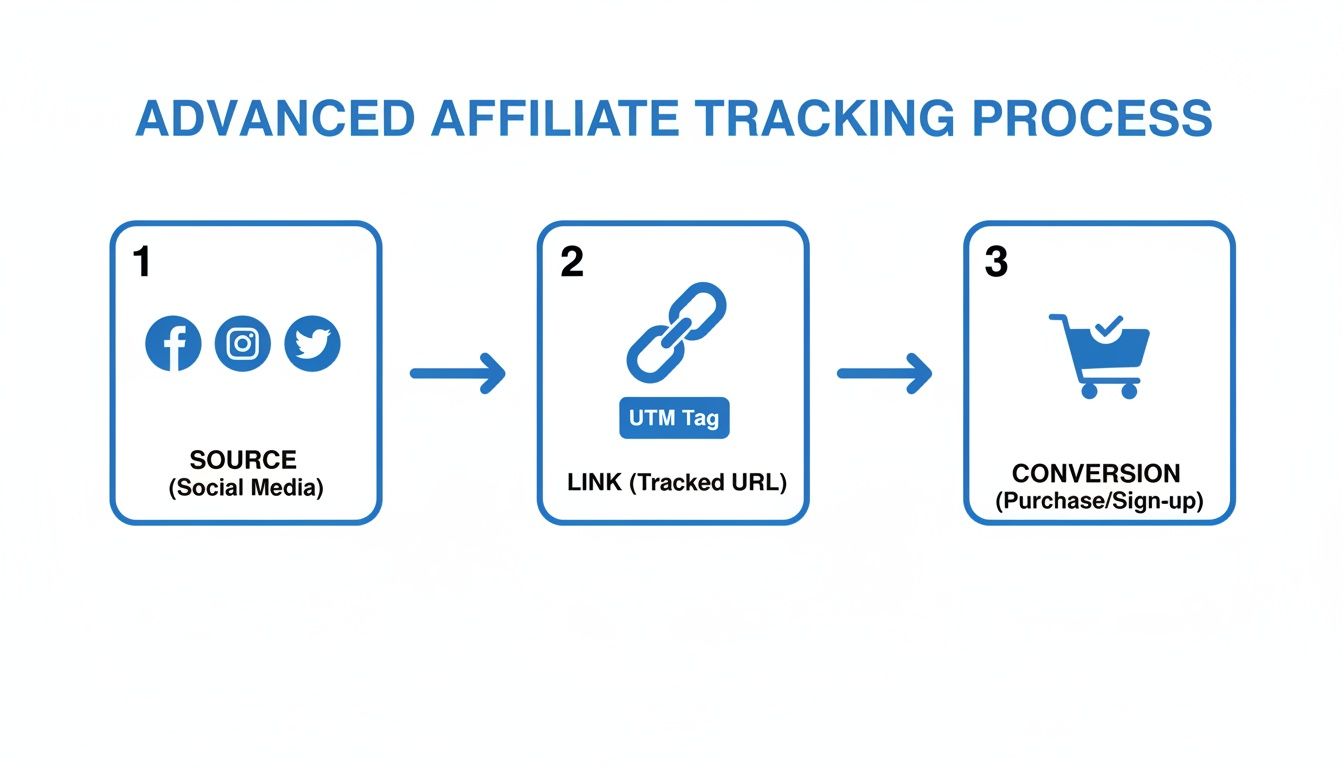
As you can see, solid tracking depends on a clean handoff of data at every single step. Get it right, and every sale gets credited to the right affiliate.
The Simplicity of Client-Side Tracking
Client-side tracking is the old-school method and where most people start. The entire process happens inside the user's web browser. When someone clicks your affiliate link, a script—often called a pixel or tracking script—fires off and drops a cookie on their device.
It’s popular because it's incredibly easy to set up. Most affiliate networks give you a simple JavaScript snippet you can paste into your website's header, often using a tool like Google Tag Manager to make it even easier.
But that simplicity comes with some serious downsides. Because everything depends on the user's browser, client-side tracking is incredibly fragile.
- Ad Blockers: More and more people are using ad blockers, which often stop tracking scripts and pixels from ever loading. If the script doesn't load, the click and any resulting sale are never recorded. Poof. Gone.
- Browser Privacy: Modern browsers like Safari (with its Intelligent Tracking Prevention) and Firefox are actively cracking down on third-party cookies, limiting how long they last and how they can be used.
- User Actions: A user can just clear their browser cookies anytime, completely breaking the attribution chain long before they decide to buy.
Key Takeaway: While client-side tracking is a decent starting point because it’s so simple, its total reliance on the user's browser makes it less reliable by the day. For any serious affiliate, it's a recipe for missing data and lost commissions.
The Reliability of Server-Side Tracking
This is where the pros play. Server-side tracking, also known as server-to-server (S2S) or postback tracking, is a much more robust and accurate way to do things. Instead of waiting for the user's browser to report a conversion, your server talks directly to the affiliate network's server.
Here’s a quick rundown of how it typically works:
- A user clicks your affiliate link. A unique Click ID is generated and passed along in the URL to your landing page.
- Your server grabs this Click ID and stores it, usually linking it to that user's session.
- When that user makes a purchase, your server sends a "postback"—a direct notification—containing that same Click ID straight to the affiliate network's server.
This direct line of communication completely bypasses the user's browser. That means server-side tracking is immune to ad blockers, cookie restrictions, and browser privacy settings. It creates a durable, trustworthy data trail that ensures every single valid conversion gets counted. If you're looking for other ways to keep your tracking data intact, it’s worth learning more about the role of direct link tracking in a modern setup.
To see how these principles apply in the real world, you can learn a lot from mastering ad tracking on platforms like Facebook using Meta Pixel, CAPI, and UTMs, which provides great context for high-stakes advertising environments.
Sure, setting up postback URLs or API integrations takes a bit more technical effort upfront. But the payoff in data accuracy is huge. You get a single source of truth for your conversions, which means more reliable reporting and, most importantly, commissions that are always attributed correctly. For any business that relies on affiliate revenue, moving to a server-side model is a critical step toward professionalizing your operations.
Setting Up Your Tools for Flawless Tracking
Picking the right software is one thing, but getting it configured correctly is where the magic really happens. Your tools need to talk to each other to give you a single, clear picture of your affiliate performance, tracking everything from the first click to the final sale. If they don't, you're just staring at a bunch of disconnected data points that don't tell the whole story.
The whole point is to build a system that’s automated and as error-proof as possible. This means choosing tools that not only make your life easier but also plug directly into your core analytics. When you get this foundation right, every conversion is accurately attributed, saving you from the headache of manual data entry and costly mistakes.
Automating Link Creation with Plugins
Let’s be honest: manually adding UTMs and SubIDs to every single affiliate link is a recipe for disaster. It's tedious, mind-numbingly repetitive, and one little typo can break your entire tracking chain. This is exactly why link management plugins aren't just a nice-to-have; they're essential.
For anyone on WordPress, a tool like ThirstyAffiliates can be a lifesaver. It lets you keep all your affiliate links in one central place. When you drop a link into your content, the plugin automatically cloaks it and can be set up to append all your tracking parameters, ensuring every link is perfect and consistent across your site.
It's a clear trend. While over 56% of marketers still lean on Google Analytics for tracking, a solid 45% of bloggers are now using plugins like ThirstyAffiliates to manage their links. This shows a big shift toward simpler solutions that cut down on manual work and boost accuracy.
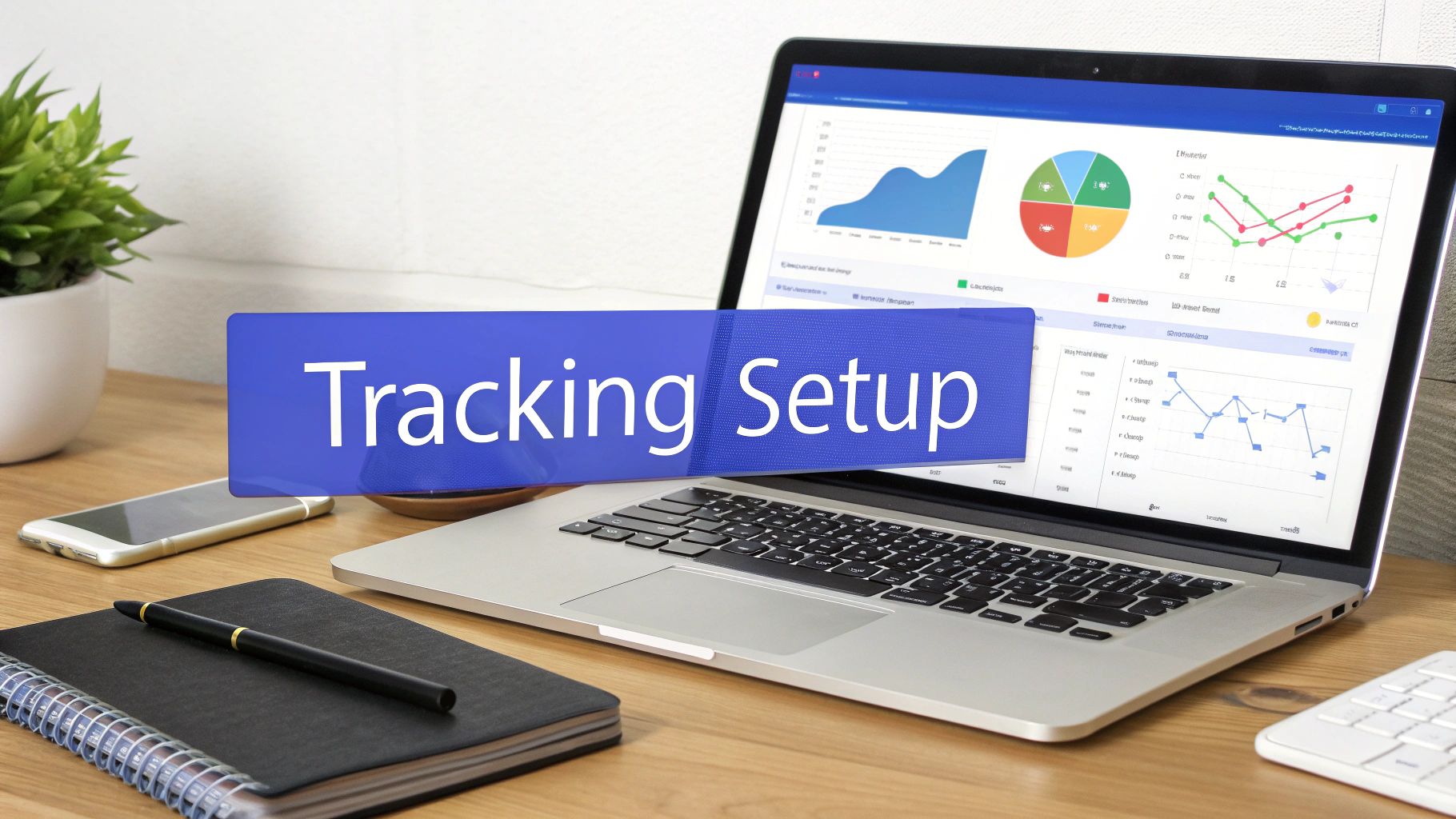
A centralized dashboard like this makes it so much easier to categorize, manage, and update all your affiliate links from one spot. By letting automation handle the technical stuff, you can get back to what matters: creating great content.
Integrating with Google Analytics 4
Your link plugin handles the outbound click, but Google Analytics 4 (GA4) is where you actually see what the user does next. Tying the two together is how you connect your affiliate efforts to real website behavior. The trick is to treat affiliate clicks as meaningful interactions, not just another user leaving your site.
You can do this by setting up custom events in GA4. Here's how I'd approach it:
- Turn on Enhanced Measurement: First, pop into your GA4 data stream settings and make sure "Outbound clicks" are being tracked. This is a built-in feature that automatically logs when a user clicks a link to another domain.
- Create a Custom Event: Next, use the 'Create event' tool in GA4 to transform those generic outbound clicks into a specific
affiliateclickevent. You can set a condition for the event to trigger only when thelinkdomainparameter contains the affiliate partner's domain (like "amazon.com," for example). - Define it as a Conversion: Once you see your new custom event firing correctly, mark it as a conversion. This promotes your affiliate clicks from a simple interaction to a key business goal, making them way easier to spot and analyze in your reports.
For more advanced client-side tracking, especially if you're managing multiple affiliate scripts, a tool like Google Tag Manager is indispensable. You can get up to speed with this comprehensive guide on using Google Tag Manager effectively.
Pro Tip: Don't just create one generic affiliateclick event. Make separate events for your top partners. This lets you compare the performance of different programs right inside your GA4 dashboard without needing to build complex filters.
Syncing All Your Data Sources
The final piece of the puzzle is making sure all your data sources are telling the same story. For attribution to be truly accurate, your analytics platform, affiliate network, and payment processor all need to be in sync. This is where server-side tracking methods, like postback URLs, really prove their worth.
When a conversion happens, your system needs to be able to tie it back to the original click ID. This ensures your data is consistent everywhere:
- Google Analytics shows you the initial click and user behavior.
- Your Affiliate Network confirms the conversion and the commission owed.
- Your Payment Processor (like Stripe or Paddle) verifies the actual sale and revenue.
By getting these systems to communicate, you create a single source of truth. It closes the loop on your tracking and gives you total confidence that the numbers you see in your reports match the money hitting your bank account. You can dig deeper into platforms that help with this by checking out our guide on affiliate marketing tracking tools.
Best Practices for Accurate and Ethical Affiliate Tracking
Great tracking isn't just about the tech you use. It's a careful balance of strategy, fairness, and building solid trust with your partners and your audience. Nailing the implementation is step one, but to really make your program thrive, you need to build on a foundation of best practices. This ensures your data is spot-on and collected ethically.
This means you can't just "set it and forget it." You have to actively manage how you attribute sales, protect your program from fraud, and keep up with the constantly shifting world of privacy rules. These are the things that separate a professional, sustainable affiliate program from one that’s bleeding cash and credibility.
Defining Your Attribution Window and Model
One of the first big decisions you'll make is setting the attribution window. This is simply the time period after a user clicks an affiliate link when that affiliate is still eligible for a commission. You’ll see a 30-day window used a lot, but it’s definitely not a one-size-fits-all number.
Think about the customer journey. For a high-ticket SaaS product with a long sales cycle, a 60 or even 90-day window might be what's fair and necessary. On the flip side, for a low-cost, impulse-buy item, a shorter window of 7 to 14 days could be perfectly reasonable. The goal is to match the window to how your customers actually buy.
You also need to pick an attribution model that makes sense for your marketing goals. The two most common models you'll run into are:
- Last-Click Attribution: This is the old industry standard. The last affiliate link a customer clicked before buying gets 100% of the credit. It’s simple, clean, and easy to track.
- First-Click Attribution: This model gives full credit to the very first affiliate link a customer ever clicked. It's fantastic for rewarding affiliates who are great at introducing new people to your brand, even if another partner helps close the deal weeks later.
While last-click is easier to manage, a first-click model can be a huge incentive for top-of-funnel content creators who are masters of brand discovery.
Key Insight: Your attribution rules send a clear message to your affiliates about what you value. A fair and transparent model that reflects your customer's journey is crucial for attracting and retaining high-quality partners.
Proactively Combating Affiliate Fraud
Affiliate fraud can quietly suck your marketing budget dry and mess up your data, making it look like you're getting sales from sources that provide zero actual value. You have to be vigilant and put systems in place to catch and stop the most common schemes.
The two biggest culprits you need to watch out for are click spamming and cookie stuffing. Click spamming is a brute-force attack, firing off massive volumes of fake clicks, hoping a tiny fraction gets credit for a sale. Cookie stuffing is sneakier; it involves dropping affiliate cookies onto a user's browser without their knowledge, essentially hijacking any future sales they might make.
So, how do you fight back? Start by keeping an eye on your traffic for weird patterns. Look for things like sky-high click-through rates with zero conversions or a sudden flood of traffic from a single, shady source. Many affiliate platforms, like LinkJolt, have built-in fraud detection that can automatically flag this stuff, saving you the headache of digging through data manually.
Navigating Privacy and Compliance
In today's world, respecting user privacy isn't just a nice-to-have—it's the law. Regulations like GDPR in Europe and the CCPA in California have completely changed the game for how businesses handle user data. Ignoring these rules can lead to eye-watering fines and a major loss of customer trust.
For affiliate tracking, this means being completely transparent about how you use cookies and other tracking tech. Your website needs a clear, easy-to-find privacy policy that explains what data you collect and why you collect it. More importantly, you have to get user consent before you place any non-essential cookies on their device.
This is why a solid cookie consent banner is non-negotiable. It has to give users a clear choice to accept or reject tracking cookies. Building your program on a foundation of transparency and respect for privacy isn't just about compliance; it builds long-term trust, which is far more valuable than any short-term win from shady methods.
Turning Tracking Data Into Actionable Insights
Collecting data on how you track affiliate links is just the beginning. The real value comes from turning those raw numbers into smart, profitable decisions for your business. Let's be honest, staring at a dashboard full of metrics is pointless unless you know how to read the story they're telling about your campaigns.
It’s easy to get lost in a sea of data, but a few core Key Performance Indicators (KPIs) will give you the clarity you need. By focusing on the right metrics, you can quickly diagnose problems, spot opportunities, and understand what truly resonates with your audience. This is how you move from just tracking clicks to actively growing your bottom line.
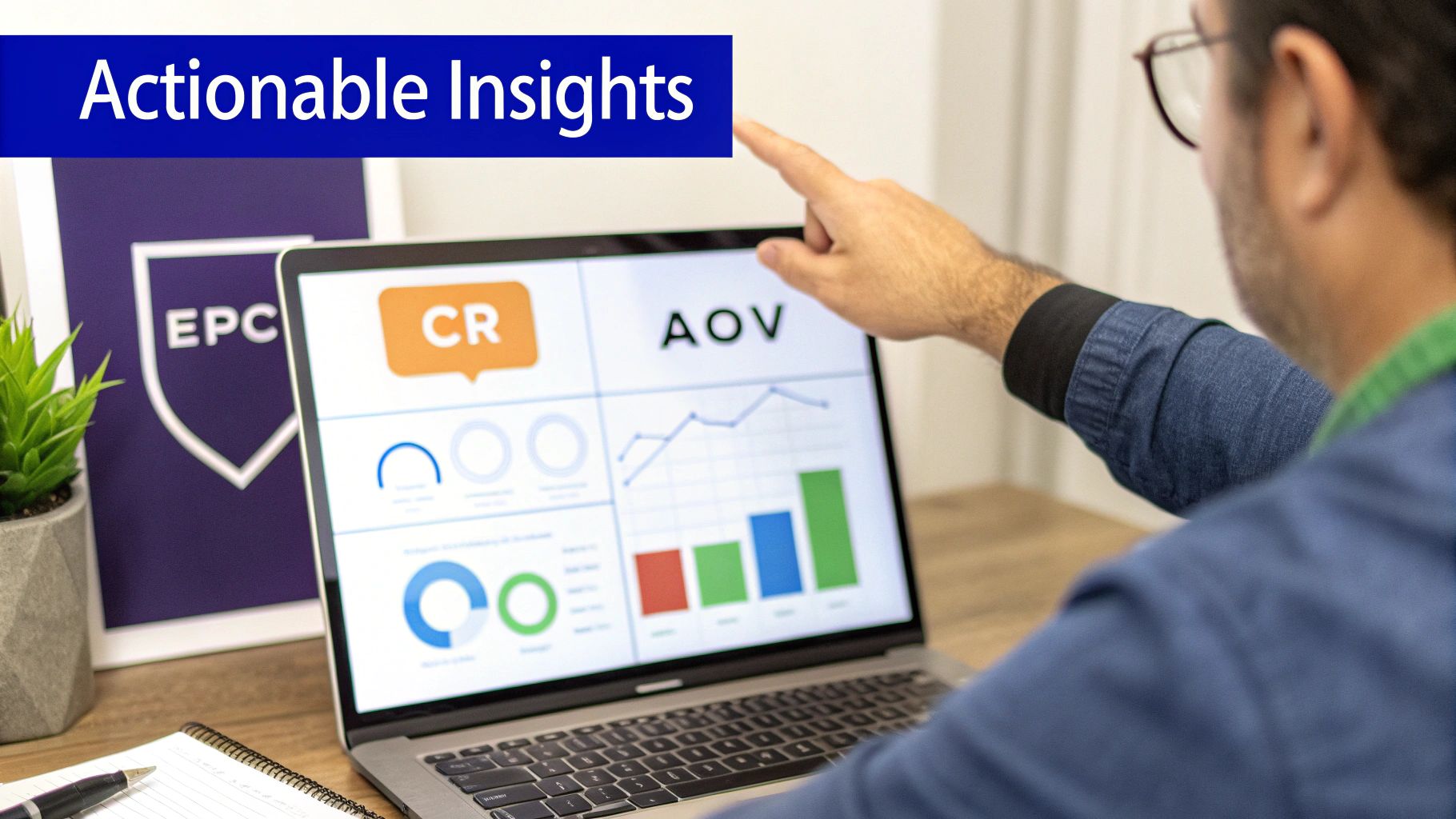
Core Affiliate KPIs You Must Monitor
To get a complete picture of your performance, you can’t just look at one number in isolation. You need to analyze a handful of key metrics together. Think of them as the three legs of a stool—without all of them, your analysis is going to be wobbly. These are the foundational KPIs for any solid affiliate performance review.
- Earnings Per Click (EPC): This is the ultimate health check for your affiliate efforts. It tells you, on average, how much money you make every single time someone clicks one of your links. It's calculated by dividing your total commissions by the total number of clicks.
- Conversion Rate (CR): This metric shows what percentage of clicks actually turn into sales or another desired action (like a lead or a sign-up). A high click count is great, but without conversions, it's just a vanity metric.
- Average Order Value (AOV): This measures the average dollar amount spent each time a customer buys something through your link. A higher AOV means you're attracting customers who spend more, which can significantly boost your earnings even if your sales volume stays the same.
When you track these three together, you get a much richer, multi-dimensional view of what's happening. A high EPC might be driven by a fantastic conversion rate, a high AOV, or a healthy mix of both. Understanding that dynamic is absolutely crucial for optimization.
Once you have a handle on the core metrics, you'll want to build out a more comprehensive dashboard. Here’s a breakdown of the essential KPIs you should be monitoring to get a full picture of your campaign's health.
Monitoring these metrics isn't just about watching numbers go up or down. It's about understanding the relationships between them to make smarter decisions that directly impact your bottom line.Interpreting the Data to Find Opportunities
Raw numbers are just numbers. The real skill is connecting the dots between them to understand the "why" behind your performance. Once you start tracking these KPIs, you can begin to diagnose issues and make changes backed by actual data.
Let's walk through a real-world scenario. You notice your Earnings Per Click on a popular product review has suddenly dropped by 50%, even though the click volume is holding steady. This is a massive red flag. A sharp EPC decline like this often points to a technical problem happening somewhere between the click and the conversion.
Key Insight: A sudden drop in EPC with stable click traffic is one of the clearest signs of a broken link or a problem on the merchant's landing page. Your audience is still interested, but something is physically preventing them from converting.
Your first move should be to immediately check if the affiliate link is still working and leads to the correct page. It's entirely possible the merchant changed their URL without telling you, or the product is now out of stock. Without monitoring your EPC, you might not notice this kind of revenue leak for weeks.
Connecting Metrics for Deeper Understanding
Let’s look at another common situation. Your analytics show a very high click-through rate (CTR) on a promotional banner, but the conversion rate is almost zero. This tells a completely different story.
While a baseline affiliate click-through rate (CTR) of 0.5% is pretty standard, getting above 1% is a great sign that your call-to-action is working. However, if those clicks don’t lead to sales—which typically convert between 2% and 5% depending on your niche—you have a clear disconnect somewhere. You can discover more insights about these industry benchmarks on Shopify.
This specific pattern strongly suggests a messaging mismatch. Your ad or banner is compelling enough to earn the click, but the landing page isn't delivering on the promise you made. The offer might not align with what the user expected, the price could be a shock, or the page itself is just confusing.
Here's how you can troubleshoot this:
- Review Your Messaging: Does your promotional copy accurately reflect what the user will find on the landing page?
- Check the Landing Page: Is the offer clear? Is the page mobile-friendly and easy to navigate?
- Analyze Audience Alignment: Are you sending the right type of traffic to this particular offer?
For this kind of detailed analysis, having precisely tagged links is non-negotiable. If you're struggling to keep your tracking parameters consistent, our guide on how to generate a UTM link provides a structured approach to ensure your data is always clean and reliable. By turning your tracking data into actionable insights, you transform affiliate marketing from a guessing game into a predictable revenue engine.
Diving Deeper: Your Affiliate Tracking Questions Answered
Even with the best setup, a few questions always pop up once you get into the weeds of tracking affiliate links. It's totally normal. This is where we'll tackle some of the most common points of confusion with quick, straightforward answers.
Think of this as your go-to reference for those nagging "what if" and "how does this actually work" scenarios that come up along the way.
What’s the Real Difference Between a SubID and a UTM?
It helps to think of SubIDs and UTMs as two different tools telling a similar story, but for two completely different audiences. Both tack tracking data onto your URLs, but they have very distinct jobs.
- UTM parameters are the universal language of web analytics. They’re for your eyes only, telling tools like Google Analytics the big-picture story of where your traffic came from—the source (e.g., a specific influencer), the medium (e.g., instagram), and the campaign (e.g., winter-promo). This is all about your internal marketing analysis.
- SubIDs are custom tracking parameters created specifically for your affiliate network or software. They tell the affiliate program a much more granular, internal story about your traffic, like which exact button (
subid=sidebar-cta) or blog post (subid=review-post-123) drove the click. This data is critical for precise commission reporting inside the network.
Bottom line: UTMs give you the 10,000-foot view for your own analytics, while SubIDs provide the affiliate program with the ground-level details they need to pay you correctly.
How Do I Get Credit for Sales if Someone Blocks Cookies?
This is the exact problem that server-to-server (S2S) tracking was built to solve, and why it's now the gold standard for anyone serious about accuracy.
When you're only using cookies (which is client-side tracking), you’re completely at the mercy of every user's browser settings, ad blockers, and privacy tools. S2S tracking neatly sidesteps all of that chaos.
Instead of trying to drop a cookie on the user's device, S2S tracking kicks off by generating a unique Click ID the very moment someone clicks your affiliate link. Your server grabs and stores this ID. Later, if that same user makes a purchase, your server talks directly to the affiliate network's server, sending back the Click ID to confirm the conversion happened.
Because this whole conversation happens server-to-server, it's completely invisible to the user's browser. That makes it immune to cookie blocking and ad blockers, ensuring you get credit for every single legitimate sale you generate.
Can I Actually Track Affiliate Links Without a Website?
Absolutely. A website is a fantastic channel, but it's far from the only game in town. You can run a highly effective affiliate business across tons of different platforms, as long as you’re disciplined with your tracking strategy.
The key is simply to append your UTM and SubID parameters to every single link, no matter where you plan on sharing it.
Here are a few common scenarios:
- Social Media: Use a link shortener like Bitly to create clean, trackable links for your posts on platforms like X, Facebook, or in your Instagram bio.
- Email Newsletters: Your email provider has its own analytics, but adding UTMs is what lets you see exactly how that email traffic behaves once it hits your—or your partner's—site inside Google Analytics.
- Podcasts and Videos: Always include properly tagged links in your show notes or video descriptions. This is the only reliable way to attribute traffic and sales from your audio or video content.
What’s the Best Free Tool for Tracking Affiliate Links?
For anyone just getting their feet wet, the most powerful and completely free tool at your disposal is Google Analytics 4 (GA4). It gives you a seriously robust platform for understanding user behavior without ever having to pull out a credit card.
By implementing a consistent UTM strategy, you can immediately start seeing which traffic sources are driving clicks to your affiliate partners.
To level this up, take a few minutes to configure "outbound clicks" as a custom event in GA4. This small tweak allows you to specifically monitor and report on your affiliate link activity right inside your main analytics dashboard. Pair that with a free link management plugin for WordPress, and you’ve got a surprisingly powerful tracking stack for zero cost.
Ready to stop losing commissions and start scaling your affiliate program with confidence? LinkJolt provides the robust, server-to-server tracking, automated payout management, and real-time analytics you need. Set up your affiliate program in minutes with LinkJolt.
Watch Demo (2 min)


Trusted by 300+ SaaS companies
Start Your Affiliate Program Today
Get 30% off your first 3 months with code LINKJOLT30
✓ 3-day free trial
✓ Cancel anytime